What is Microsoft Copilot?

Artificial Intelligence is moving fast, and many small businesses across Kent, Sussex and South London are asking a simple question: “What actually is Microsoft Copilot — and should we be using it?”

This article explains Microsoft Copilot in a clear, friendly and practical way. It breaks down what Copilot is, how it works, why it’s safe for small businesses, and the kinds of tasks it can help your team with every single day.

If you’re exploring AI for the first time, or planning the next steps in your business’s AI strategy, this guide gives you a straightforward explanation you can trust.

A Clear Definition — What Microsoft Copilot Is

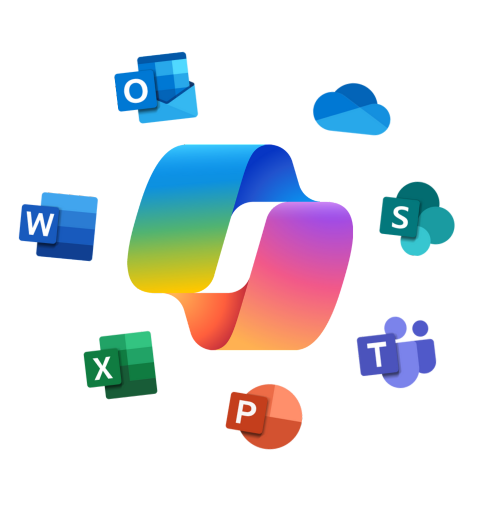
Microsoft Copilot is an AI assistant built directly into Microsoft 365, designed to help people write, plan, communicate, analyse and automate work inside the apps they already use — Outlook, Word, Excel, Teams, PowerPoint, SharePoint, OneDrive, Planner, Loop and more.

Copilot connects to your organisation’s data through Microsoft Graph, meaning it can use your files, emails, calendars, meetings, chats and documents (that your staff already have permission to access) to deliver personalised, useful results.

In simple terms, Copilot can:

  • Summarise complex information
  • Draft content in your tone
  • Automate repetitive tasks
  • Analyse and interpret data
  • Improve communication and collaboration across Teams
  • Work across Teams-integrated systems like SharePoint, OneDrive, Planner and Viva

It’s secure, permission-aware, and designed for work — not for the general internet.

Official Microsoft overview:
https://ukstories.microsoft.com

Microsoft Copilot surrounded by Microsoft 365 applications.

How Microsoft Copilot Works (Simple, Non-Technical)

Below are the most common internal risks — written in plain, practical language for small businesses.

Large Language Models (LLMs)

These advanced AI engines interpret natural language and generate helpful responses to questions, prompts and tasks.

Microsoft 365 Apps

Copilot works inside the tools your team already use:

  • Outlook
  • Word
  • Excel
  • PowerPoint
  • Teams
  • SharePoint
  • OneDrive
  • Loop
  • Viva
  • Planner
  • Power Platform (Power Automate + Power Apps)

This deep integration is what makes Copilot intuitive, powerful and easy for staff to adopt.

Microsoft Graph

This is the secure data layer inside your Microsoft 365 environment. It ensures:

  • Copilot only uses information the user can already access
  • No data is leaked outside your business
  • Your governance and security rules are followed
  • Information in SharePoint, OneDrive and Teams channels is handled securely

Microsoft Graph is what makes Copilot “organisation-aware”.

Why Copilot Matters for Small Businesses in Kent

Small businesses rely on people wearing multiple hats. Copilot helps save time, reduce admin and remove friction from everyday work — enabling small teams in Kent to get more done without increasing workload.

Productivity Benefits

  • Faster drafting and writing
  • Quicker decisions through summaries
  • Less time trawling through emails
  • Better meeting preparation and follow-up
  • More focus on high-value tasks

Workflow & Automation Benefits

  • Automate everyday tasks using Teams + Power Automate
  • Standardise processes (e.g., proposals, reports, documentation)
  • Improve consistency and output quality
  • Unlock AI Agents for multi-step automation inside Teams
  • Reduce manual data entry across SharePoint and OneDrive

Security & Trust

  • Respects Microsoft 365 permissions
  • Keeps data inside your tenant
  • Reduces the risks of unapproved “Shadow AI” tools
  • Benefits from platform-wide protections across Teams, SharePoint and Exchange

What Copilot Can Do — Real Examples for Small Businesses

Here’s how organisations across Kent are already using Copilot in their day-to-day work.

Communication

• Draft emails in seconds
• Summarise long threads
• Suggest responses in your preferred style
• Improve clarity, tone and structure

Meetings (Teams)

• Summarise Teams meetings automatically
• Capture decisions and actions
• Identify follow-up tasks and owners
• Generate insights for leadership teams

Document Creation

• Turn rough notes into a polished document
• Improve tone and readability
• Create policies, proposals and reports instantly
• Rewrite content in different styles (formal, concise, friendly)

Data Work (Excel)

• Explain formulas
• Build charts
• Analyse trends and anomalies
• Turn numbers into narrative reports

Presentations (PowerPoint)

• Generate slides from Word or brief notes
• Add speaker notes
• Refresh layouts and structure in seconds

Official examples and customer stories: https://ukstories.microsoft.com

Limitations & Misconceptions

Copilot is powerful — but understanding its limits helps you use it effectively.

  • It cannot access information a user is not permitted to see
  • It does not train on your business data
  • It requires human review
  • Your Microsoft 365 environment must be well-structured for best results

How Copilot Fits Into the Wider AI Landscape

Businesses often compare Copilot with general AI tools like ChatGPT or Gemini.

The key difference:
Copilot is enterprise-grade AI built into Microsoft 365.

Copilot:

• Uses your business data securely
• Maintains governance and permissions
• Works inside Outlook, Teams, SharePoint, OneDrive and Excel
• Strengthens productivity and collaboration

Consumer AI tools:

• Do not integrate with your systems
• Are not permission-aware
• Pose higher risks for data leakage

For trusted AI guidance, Microsoft publishes real customer stories and updates:
https://ukstories.microsoft.com

Q1: Is Microsoft Copilot safe for small businesses?
Yes. Copilot is built on Microsoft’s enterprise-grade security framework. It respects your existing Microsoft 365 permissions, keeps all data inside your tenant and follows your organisation’s governance policies. This makes it far safer than using external AI tools like ChatGPT for company information.

Q2: Does Microsoft Copilot access all our files and emails?
No. Copilot can only access information a user already has permission to see. It does not bypass security controls, and it cannot reveal confidential or restricted content to users who shouldn’t see it — whether that data lives in Outlook, Teams, SharePoint or OneDrive.

Q3: Does Copilot learn from or store our business data?
No. Copilot does not train on your documents or store business data outside your Microsoft 365 environment. It uses your data temporarily to generate responses and then discards it.

Q4: What licence do we need for Copilot?
Most small businesses will need Microsoft 365 Business Premium plus a Copilot for Microsoft 365 add-on licence. Some larger or more complex organisations may use Microsoft 365 E3 or E5 instead. The right choice depends on your security requirements, existing licences and how widely you plan to use Copilot across Teams, SharePoint, Exchange and other apps.

Q5: Do we need to prepare our Microsoft 365 environment before enabling Copilot?
Yes — and it’s one of the most important steps. A secure, well-structured Microsoft 365 environment helps Copilot work accurately while protecting sensitive company data. This includes reviewing permissions, data locations (SharePoint, OneDrive, Teams), sharing settings, retention policies and overall data governance.

Q6: What’s the difference between Microsoft Copilot and ChatGPT?
ChatGPT is a general-purpose AI tool that isn’t connected to your business systems by default. Microsoft Copilot is business-grade, permission-aware and integrated into Microsoft 365. Copilot uses your organisation’s data safely and securely inside apps like Outlook, Teams, Word and Excel — ChatGPT does not. Copilot is the better option for everyday business work.

Q7: Will Copilot replace jobs or reduce staff?
No. Copilot is designed to support people, not replace them. It reduces routine admin and content creation, helps staff work through busy inboxes and meetings more quickly, and improves the quality and consistency of documents. The goal is to free people up to focus on higher-value tasks, customer service and strategic work.

Q8: Is Copilot difficult for staff to learn?
Most users pick it up quickly because Copilot works inside the Microsoft apps they already know — especially Outlook, Teams, Word and Excel. With simple onboarding, a few example prompts and clear guidance on where to start, adoption is usually fast and confidence grows naturally.
Free AI Readiness Assessment

Before deploying AI, your Microsoft 365 environment must be secure, structured and ready.
Our free AI Readiness Assessment is a 20–30 minute discovery session designed to uncover:

  • What AI blockers exist today
  • What security or governance actions are needed
  • Which teams and processes are best suited for early wins
  • Your business’s readiness to adopt Microsoft Copilot

You’ll receive a simple, actionable summary showing your next steps from our AI Solutions Lead, Chris.

Name(Required)
Level of Business AI Use

Explore a complete summary of our Copilot AI Business Solutions, including readiness, governance, implementation, adoption and AI agent development.

Discover our full CoPilot service offering. Browse our governance, onboarding, agent creation and consultancy services.

Learn how AI can work for you. Explore guides on Shadow AI, Copilot plans, AI Agents and more.